• Laptops for Home
  • Laptops for Business

Introducing Windows 8

Picture
Beautiful, fast and fluid touch-friendly design

Windows 8, released October 26, 2012, is Microsoft's innovative operating system, offering a dual user interface that combines the functionality of a mouse-driven desktop screen with that of a touchscreen tablet or smartphone. It replaces Windows 7, introduced in 2009, and earlier operating systems Vista and XP.

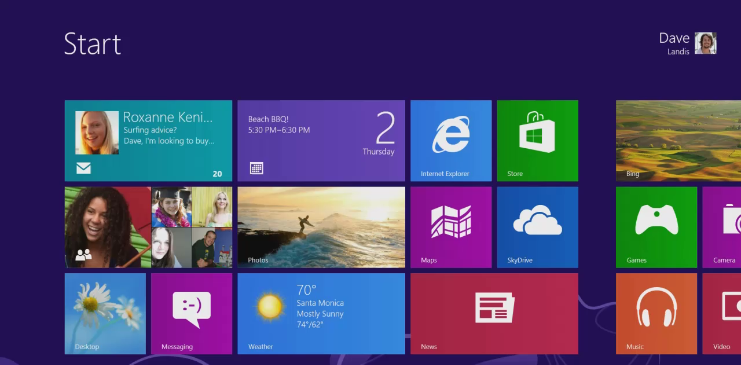
Innovative start screen
Your Windows 8  Start screen lets you put the information you need most right where you need it. Your "tiles"  -- connected to the internet in real time -- display the freshest information: updates to your calendar, email, Facebook, etc. However, you can still have the classic Windows desktop; just click (or on a touchscreen, tap) on the tile called "Desktop" to make that familiar workspace appear.

Your work connection to the Cloud
With Windows 8, you are connected to the Cloud. You can network your settings and preferences, making them available on any other Windows 8 devices you own. Likewise, your documents, calendar or other files can be stored on the Cloud via your SkyDrive account. This means you can access your work wherever you are: You can start writing a document on your desktop, and then retrieve it from the Cloud on your laptop to finish it up. You no longer need to email work files to yourself.

Apps to enhance your productivity
Windows 8 apps help you streamline your work. Dell’s built-in Windows Store gives you access to thousands of apps to boost your productivity and communicate.
Picture
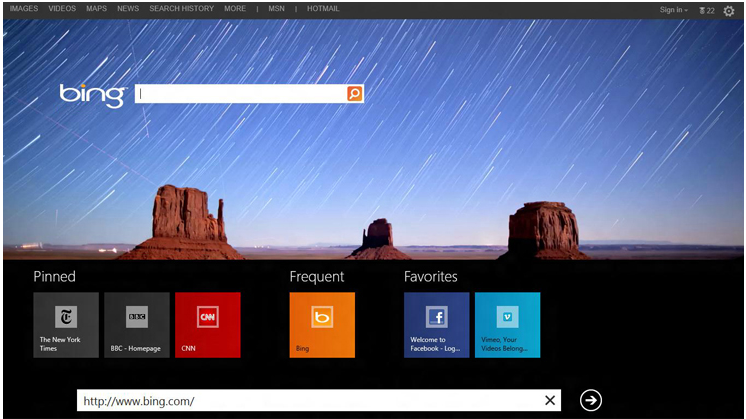
Introducing Internet Explorer 10
Along with Windows 8, Microsoft has launched Internet Explorer 10, with a new user interface that gives more space to the web pages on display, and lets you "pin" favorite pages to the screen.
Picture
Microsoft's new operating system, Windows 8, is now pre-installed on the following Dell models:

Laptops
Vostro 3360
Vostro 3460
Vostro 3560
Vostro 2520

Desktops:
Inspiron 660/660s
XPS 8500
OptiPlex 9010 All in One
Windows 8 is also available as an option on Alienware gaming models:
Alienware M14x laptop
Alienware M17x laptop
Alienware M18x laptop
Alienware X51  desktop
Alienware Aurora desktop
Read these reviews of Windows 8:
PC World
Gizmodo
Wired

Windows 8 tutorial: The start screen

Windows 8 tutorial: Designed for touch

Windows 8 tutorial: The App Store

Picture

Anglo Computer France
Email: [email protected]
Picture
Website design By Portland Website Designs.
Laptops for home & student
Desktops for home & student
Laptops for business
Desktops for business
Alienware Gaming laptops & desktops
About AngloComputer.com
Testimonials from real customers